How to add accommodation
Accommodation in the SF-CONFERENCE system has two halves. The first is the catalogue in the panel: hotels, rooms, room variants, periods and prices. The second is a single field in the registration form, where the attendee picks a place to stay. Neither works without the other. A catalogue with no field never reaches the form, and a field with no catalogue has nothing to show. We go through both below.
Enabling the module
Start with Settings in the panel's side menu. In the Modules tab you will find the Accommodation switch. That is what unlocks everything else. Once it is on, a Hotels entry appears in that same menu, and a new field type of the same name appears in the forms. While the module stays off, neither of them is visible.
Adding a hotel
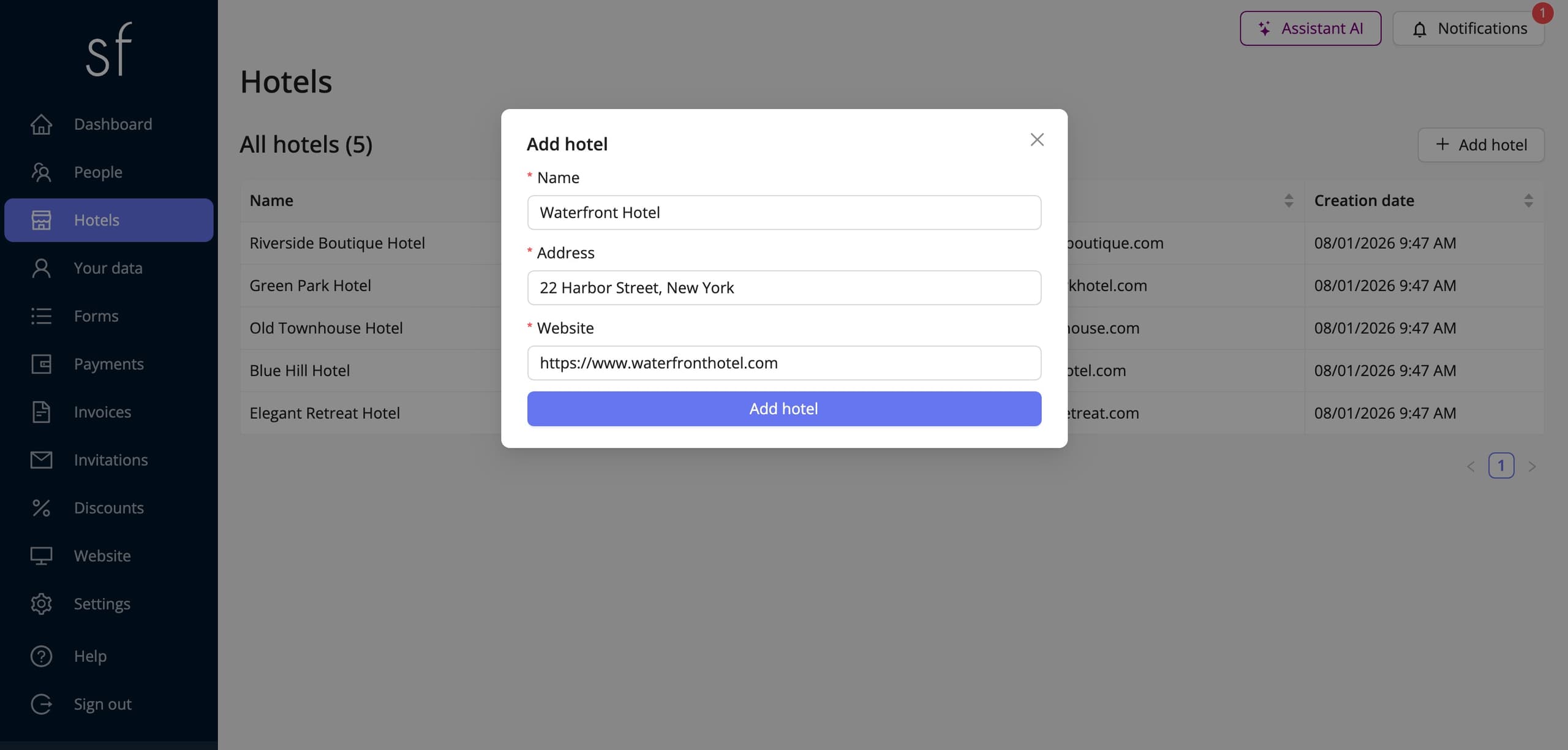
Go to the Hotels section and choose Add hotel. The entry is short: a name, given separately in each of the event's languages, an address and a website. The attendee sees the address and the link in the form, so it is worth being precise: that is what they will use to judge the distance from the venue and the standard of the place. We put no limit on the number of hotels. You can offer a single one next to the conference centre, or a dozen in different price ranges.
Rooms in a hotel
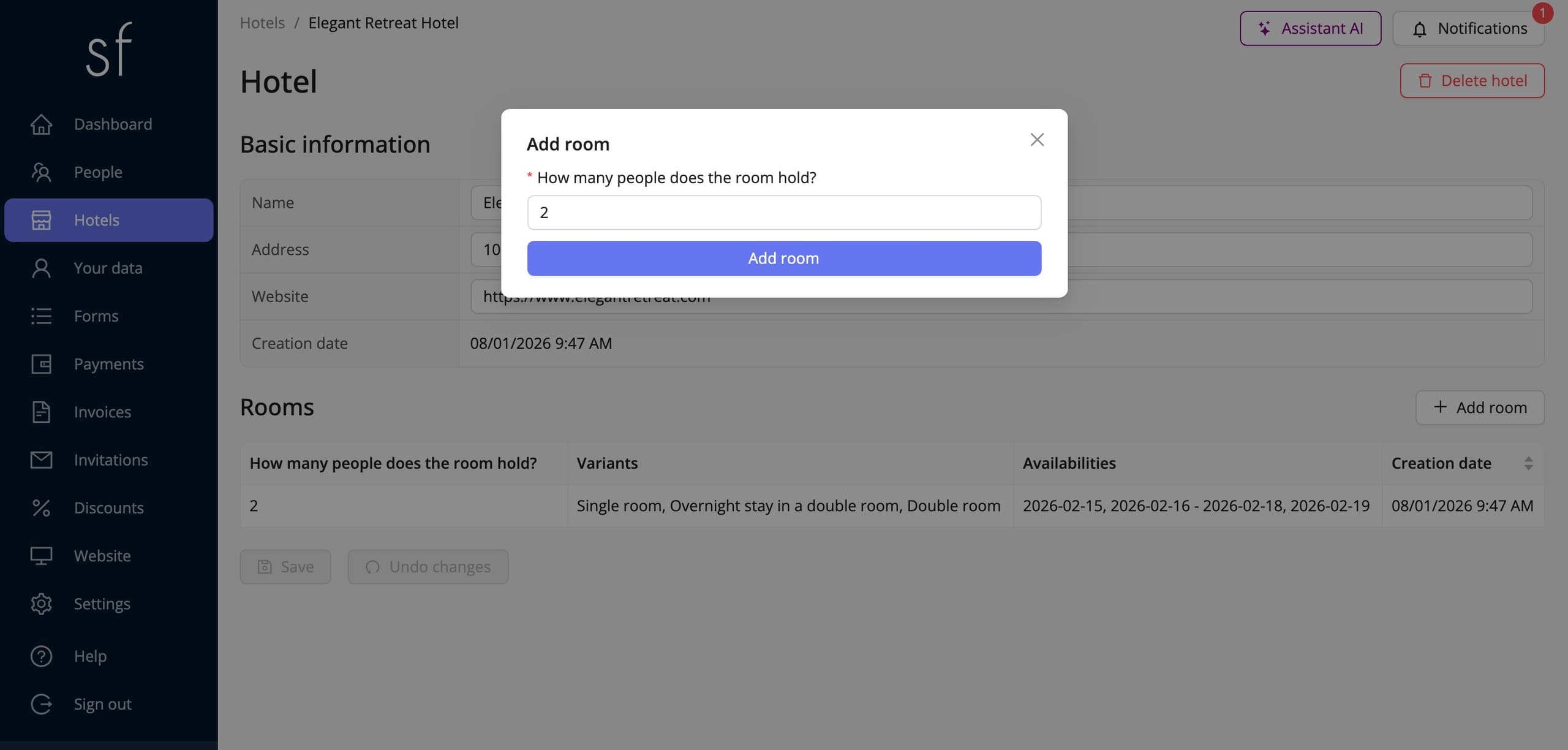
Inside a hotel you create rooms with the Add room button. The only question at this stage is “How many people does the room hold?”. It is also the key to everything that follows. A room here does not mean one key from the reception desk, but a room type of a given capacity, counted in spots. How many such rooms you actually have is something you tell the system later, with the periods.
Variants, or the ways a room can be used
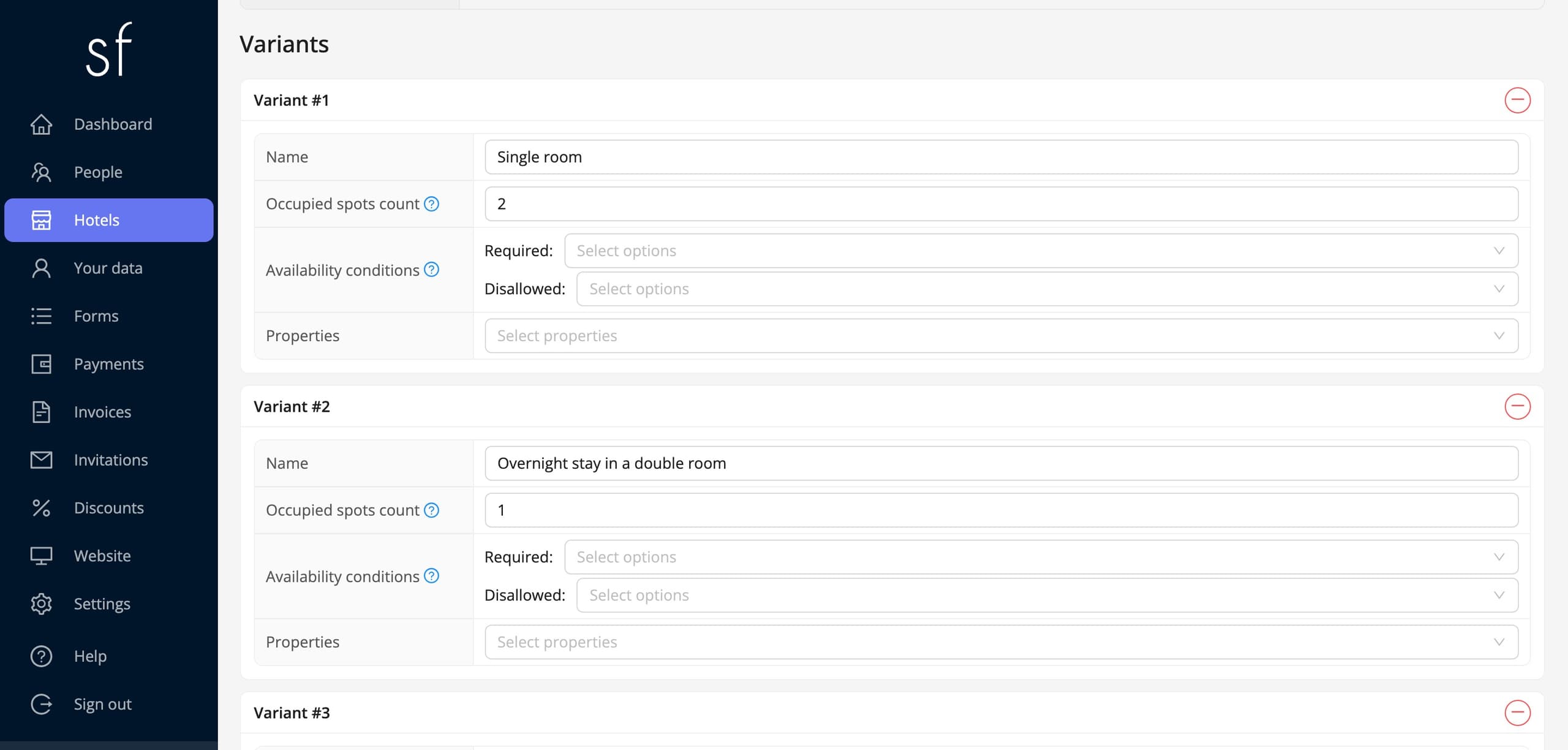
A variant describes how the room is sold. The same double room can be offered as a single, for the sole use of one person, and as a double shared by two people. Those are two variants of the same room, not two different rooms.
Every variant has its own name and an Occupied spots count: how many spots in the room one booking of that variant takes up. You decide how many, and this is where you model the way the room is actually sold. In a two-place room a variant sold for the sole use of one person takes both spots, because nobody else can be put in there, while a variant covering a single spot in that same room takes one of the two. The pool of spots therefore shrinks correctly however attendees mix the variants.
The variant's two remaining rows are Availability conditions and Properties. The first lets you offer the variant only to selected people, single rooms to speakers for instance. In the second you will find With an accompanying person. A variant carrying that property additionally asks for the first and last name of the person the attendee shares the room with.
Availabilities: periods and room counts
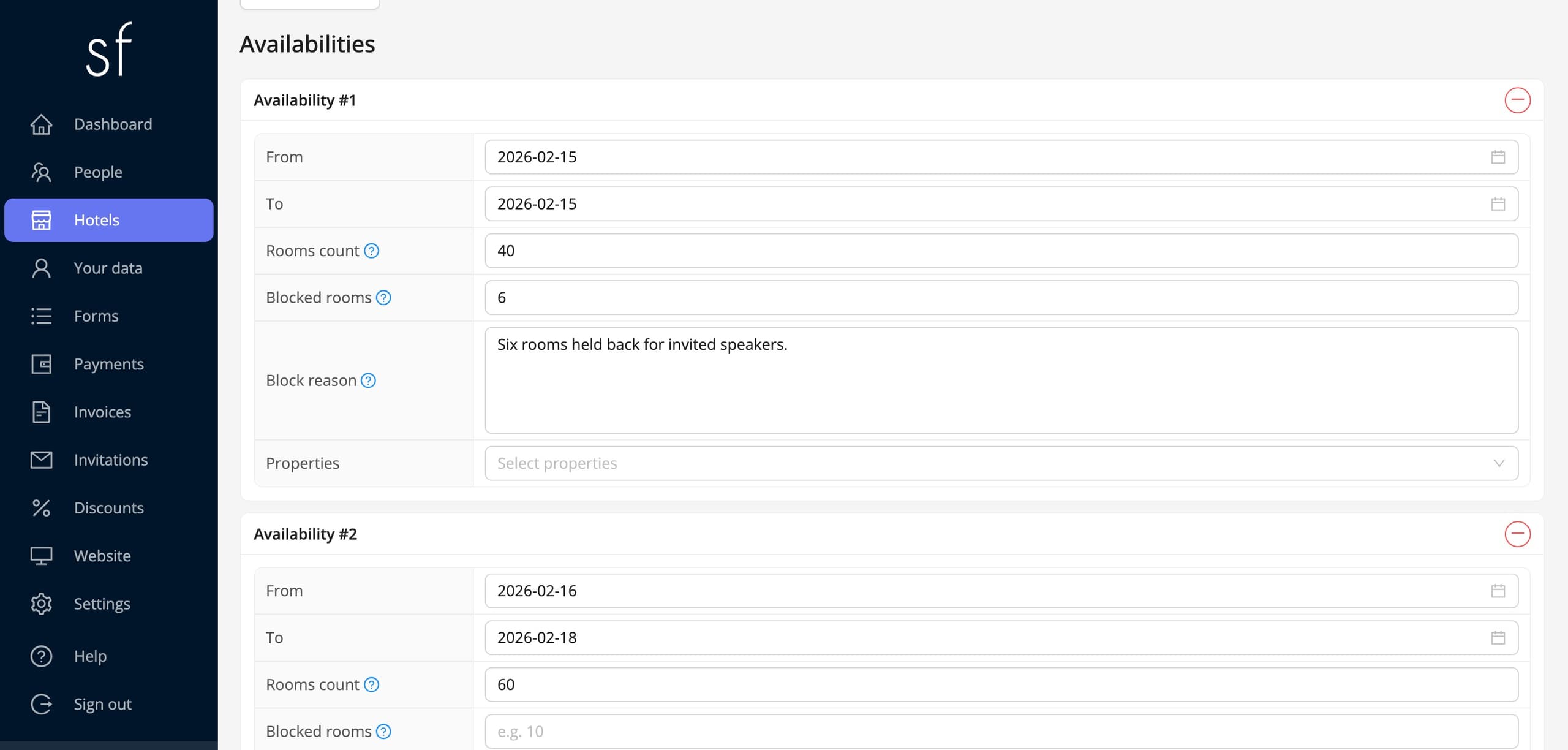
An availability is a period the room can be booked for, together with the number of rooms offered for that period. From and To set to the same day describe a single night, while different dates describe a range the attendee books in full. A typical event has three periods: the night before the conference, the session days and the night after it ends.
Rooms count is the pool offered for that period. Multiplied by the room's capacity it gives the number of spots the system has to work with. If part of the pool is taken outside the system, enter it in Blocked rooms, and leave a short note in the Block reason field, so months later you are not guessing where the difference came from. The Properties list also offers Required: a period with that property is ticked for the attendee automatically, so the nights covering the sessions are never skipped by accident.
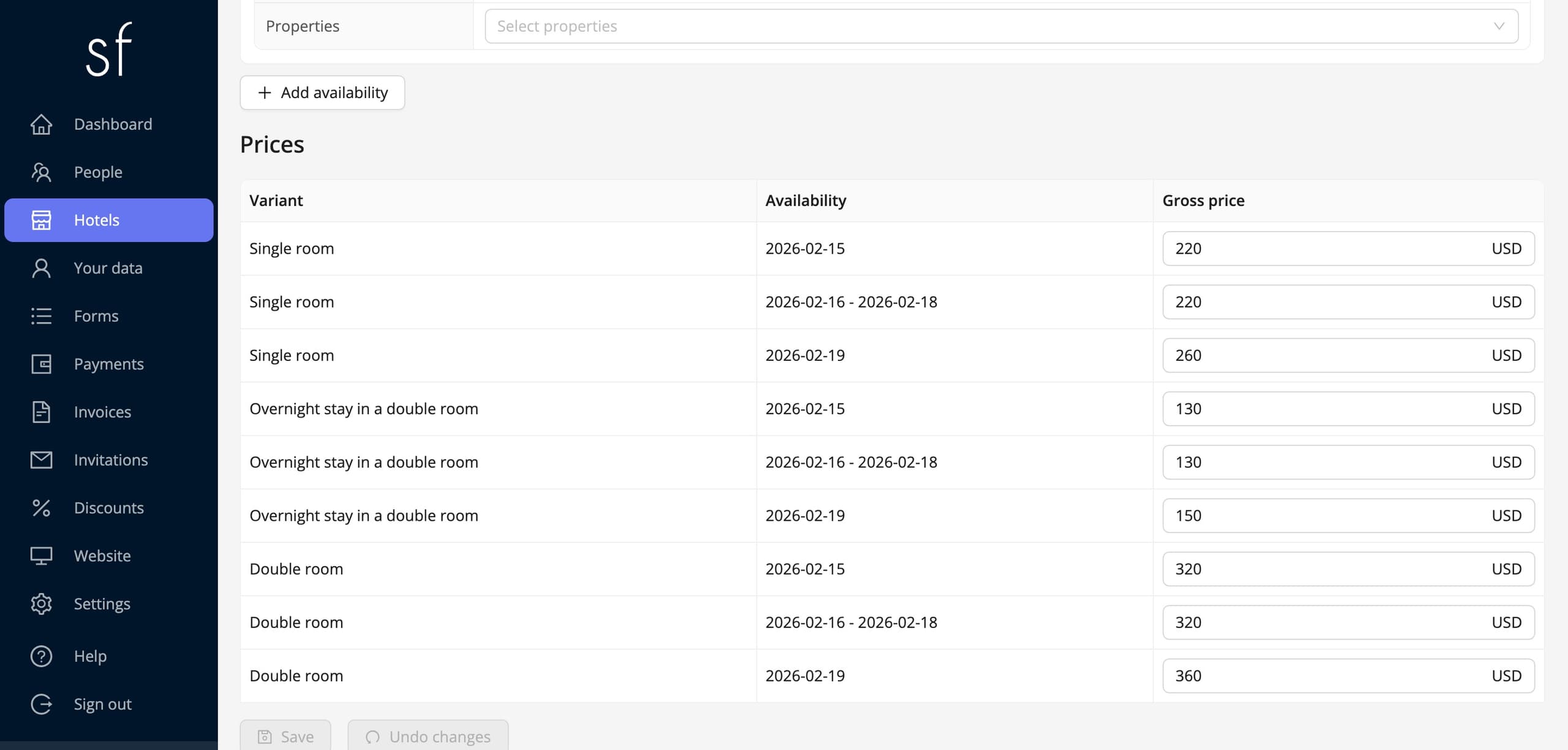
Prices
The price table builds itself and pairs every variant with every period: three variants and three periods make nine amounts to fill in. It looks like more work than a single nightly rate, but it is exactly what lets a double room cost differently from a single overnight stay in that same room, and the night before the conference differently from the nights during it. You enter the amount in every currency the event supports. The system adds it to the attendee's payment and puts it on the invoice alongside the rest of the registration.
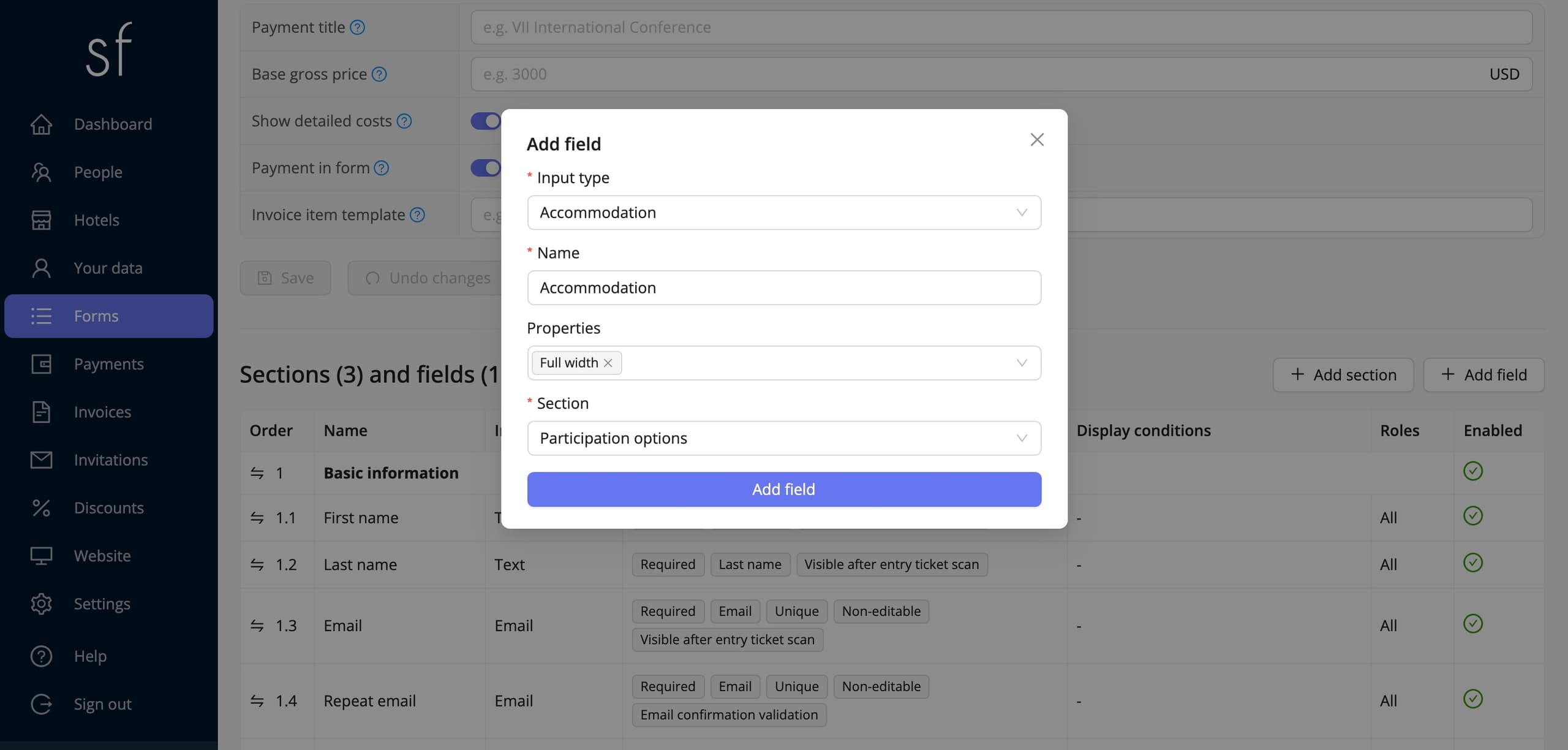
The accommodation field in the form
The accommodation catalogue is ready, but the attendee still cannot see it, because the field that displays it is missing. Open the Forms tab, open the registration form and choose Add field. In the Input type field pick Accommodation. From then on the field behaves like any other: you give it its own name and description, and in Properties you decide, among other things, whether it is required and whether it shows up in the attendee's summary. The list of hotels, variants and periods fills itself in, because it comes straight from the catalogue you have just built.
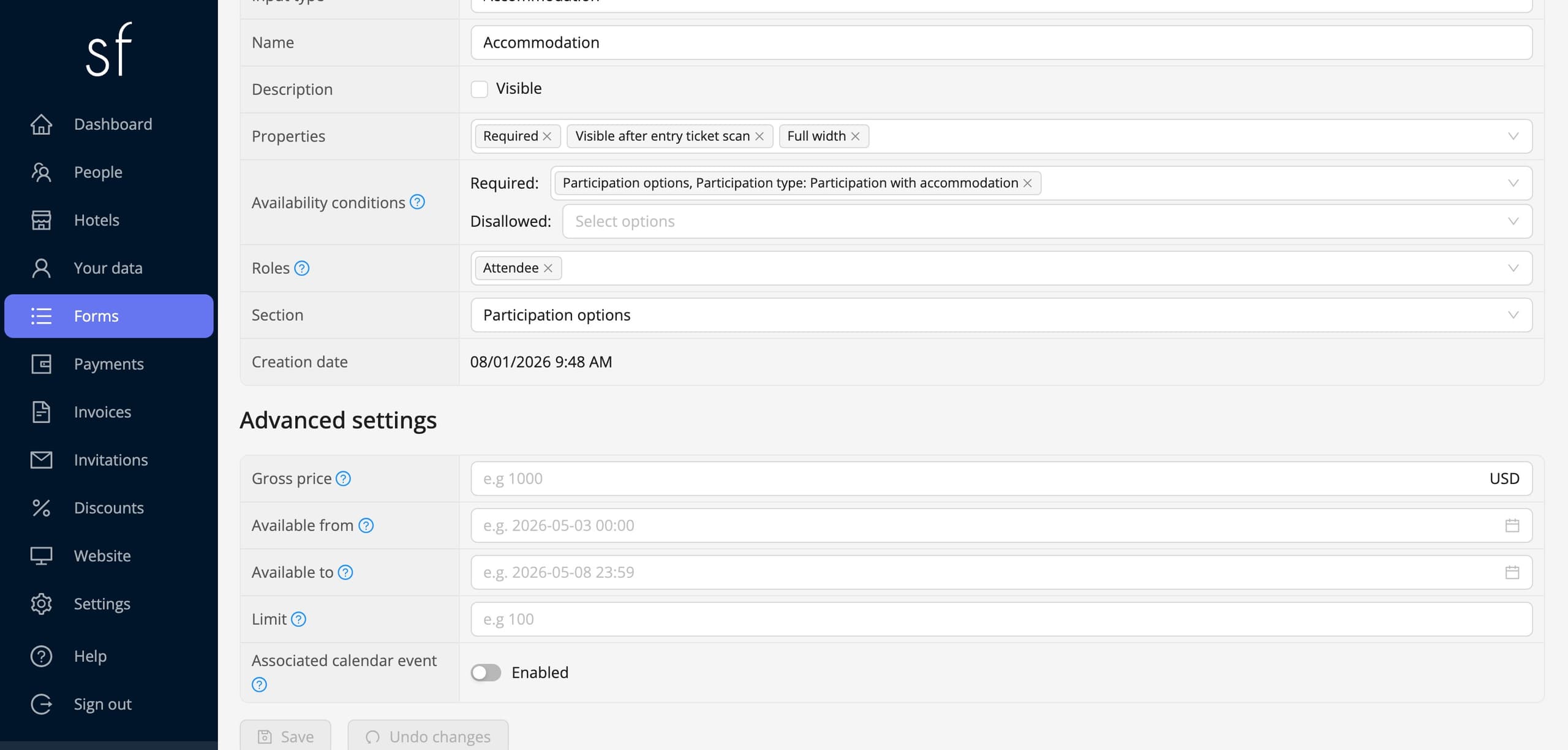
Showing the field only to selected people
An overnight stay usually concerns only some of the attendees, and the rest commute. Showing everyone a list of hotels only makes the form longer, so it is worth tying the accommodation field to an earlier answer. The Availability conditions section on the field's page does exactly that: you point it at a specific answer from another field, for instance Participation with accommodation in the Participation type field, and the accommodation field only appears once that answer is chosen. People who pick participation without accommodation never see the hotel list at all.
The same mechanism works at the level of a single variant, as described above. You can therefore layer the conditions: the whole field only for the people staying overnight, and inside it the single rooms only for speakers.
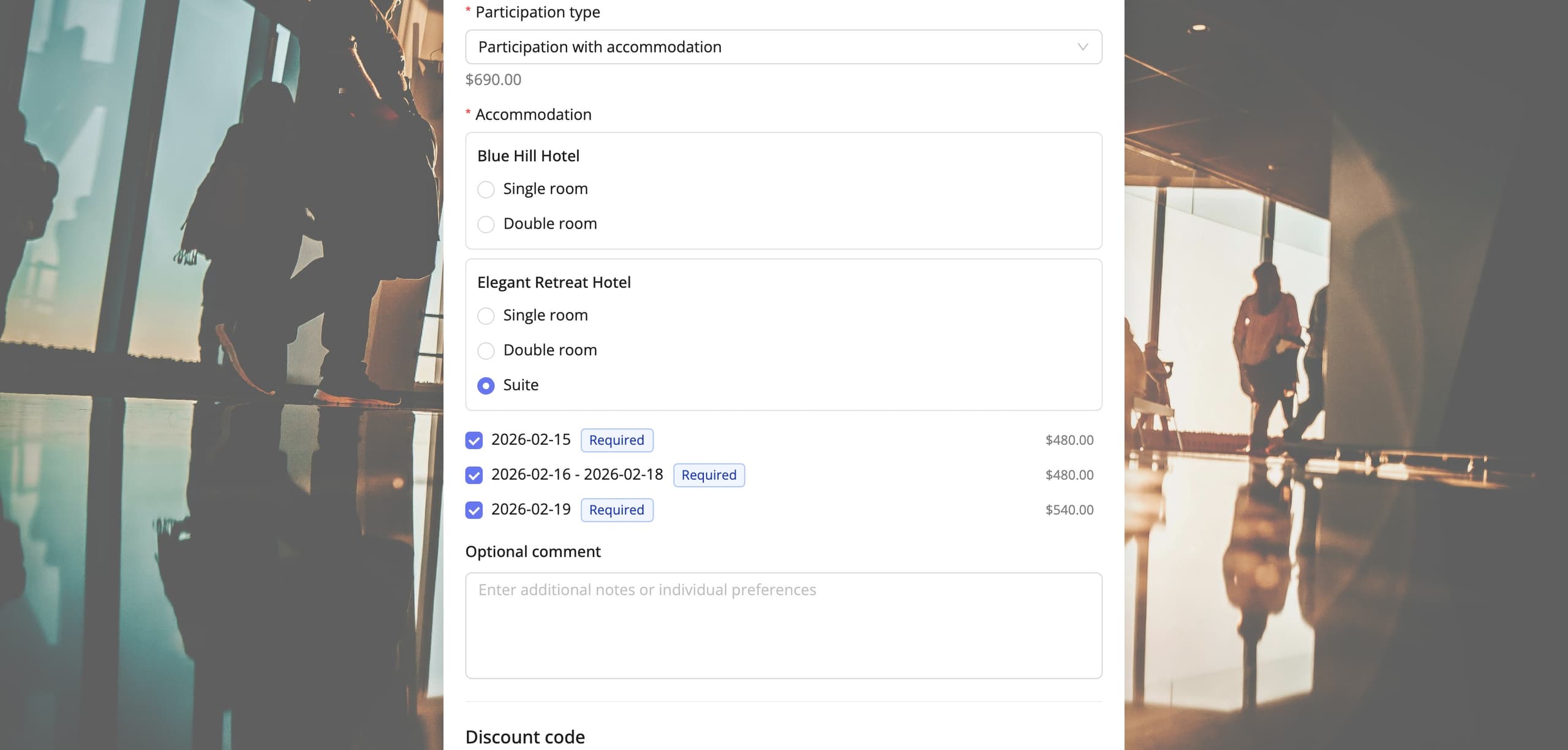
What the attendee sees
In the registration form the attendee picks a hotel, a room variant and the nights, in that order. Every period shows the price that applies to the chosen variant, so they know what they will pay from the start. Periods marked as required are ticked straight away. They can also leave a comment, asking for a room on a lower floor for instance. All of it happens within a single registration step, without ever visiting the hotels' own websites.
Vacancy control
Once registration is open you no longer have to watch anything by hand. The system counts reservations as they come in and reduces the pool by the number of spots the chosen variant occupies. When the rooms for a period run out, the variant stops being visible to the people who come next, so no overbooking can happen. You can see in the panel at all times how many spots are left and in which hotels.
Setting up accommodation in short
Setting up accommodation comes down to five steps: hotel, room, variants, periods and prices, and finally one field in the form, ideally with a condition limiting it to the people actually staying overnight. Reservations then land in the same database as registrations, payments and invoices, so you never have to reconcile two separate lists. There is more about what the module can do in the accommodation overview.
See all instructions
Complete event management on a single platform. An event website, attendee registration and a full set of organizer tools.
2026 © SF-LABS sp. z o.o. All rights reserved
Entered into the register of entrepreneurs of the National Court Register kept by the District Court for Kraków-Śródmieście in Kraków, 11th Commercial Division of the National Court Register, under KRS number 0000886671. Share capital amount: PLN 5,000.