1:1 and B2B meetings between attendees
The 1:1 meetings module in the SF-CONFERENCE system lets attendees arrange conversations with each other during the event, without spreadsheets, emails with suggested times or hand-drawn table plans. An attendee publishes a profile, chooses a person and a free time, and the system assigns a place and sends the notifications. It is a matchmaking tool for industry conferences, trade fairs and business events, working in the same panel as registration, payments and invoices.
Networking profiles
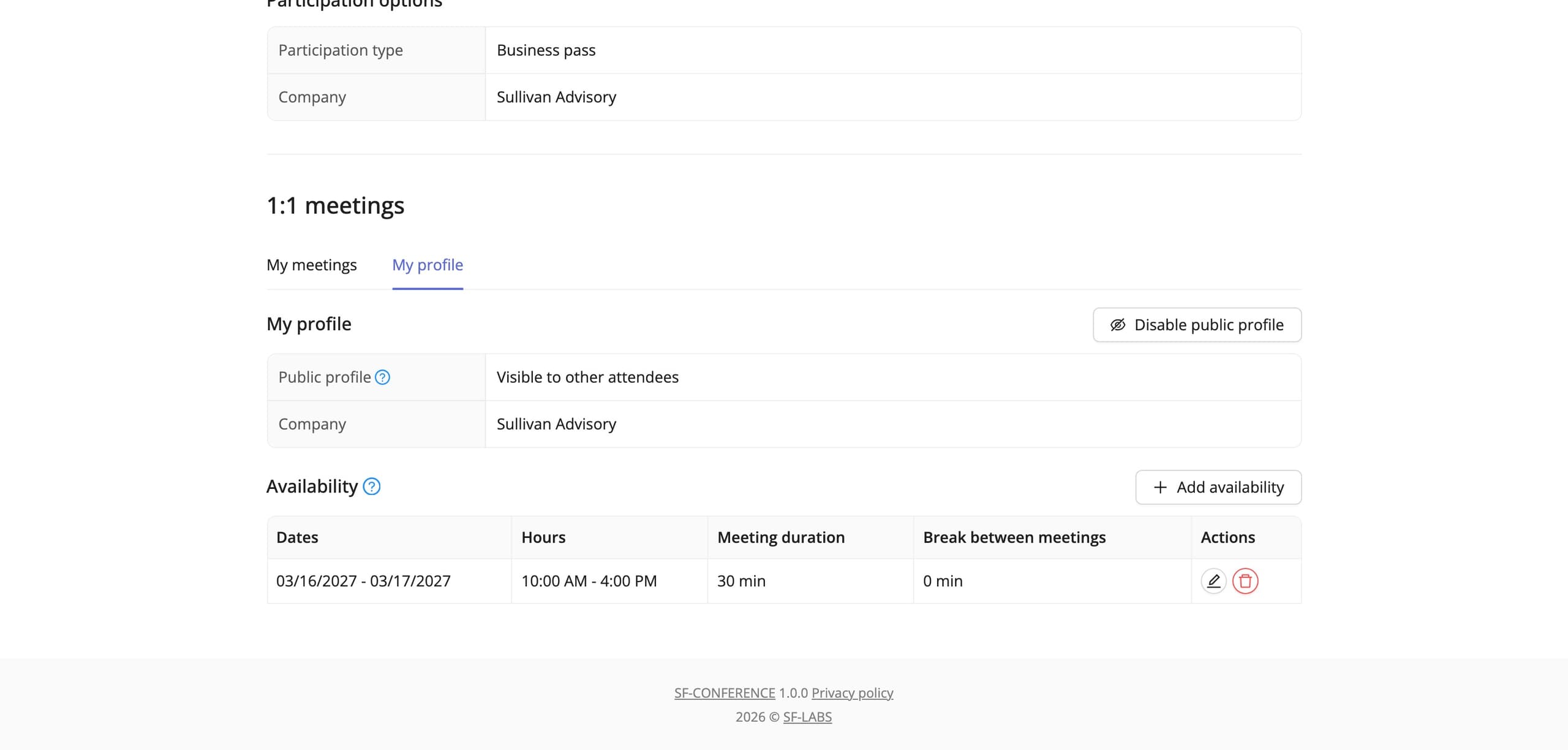
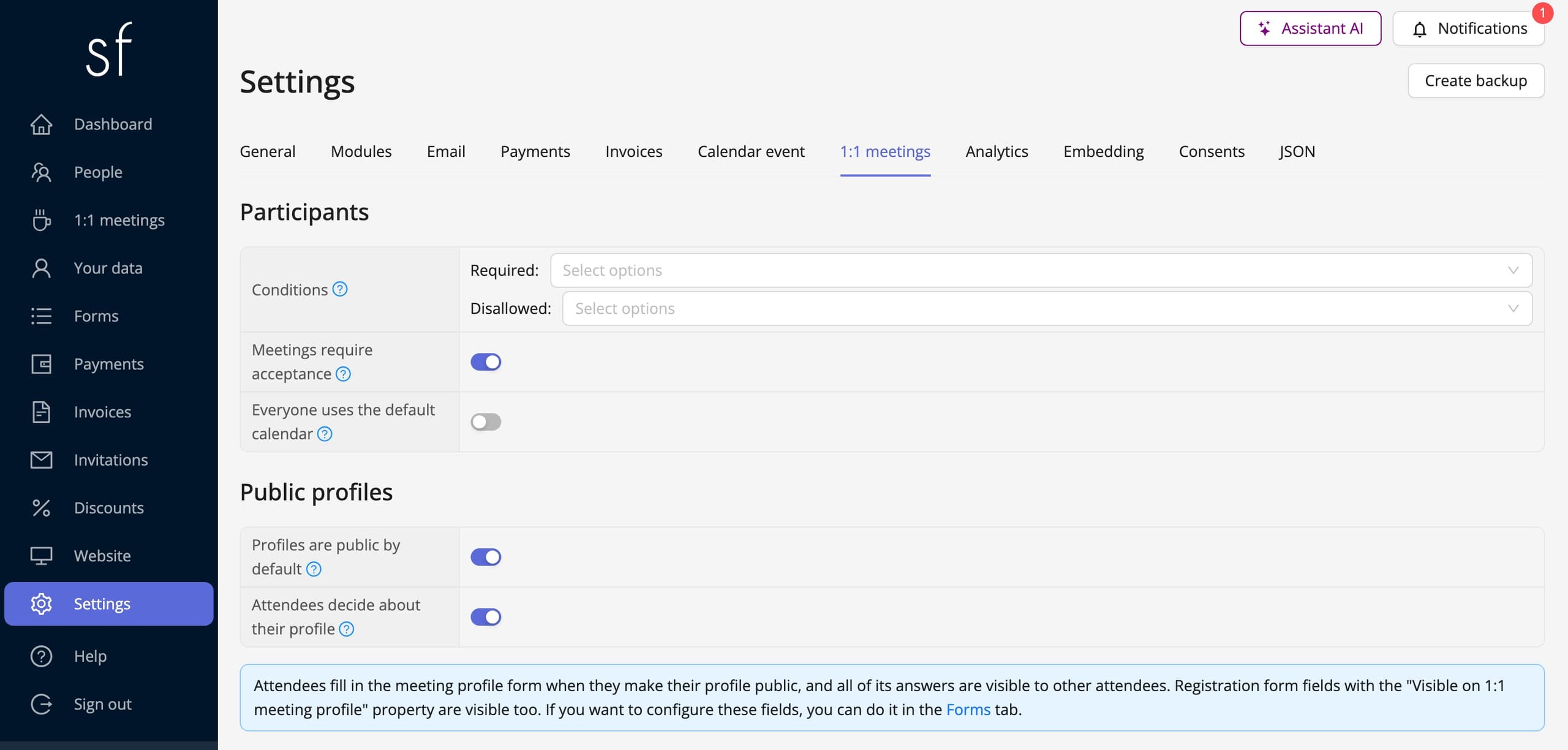
Every attendee can turn on a public profile and appear on the list of people open to meetings. The profile shows the answers from a separate meeting profile form, for example what the company does or what the attendee wants to talk about, along with chosen fields from the registration form, such as job title or industry. You decide whether profiles are visible by default and whether attendees can hide them themselves.
Booking a free slot
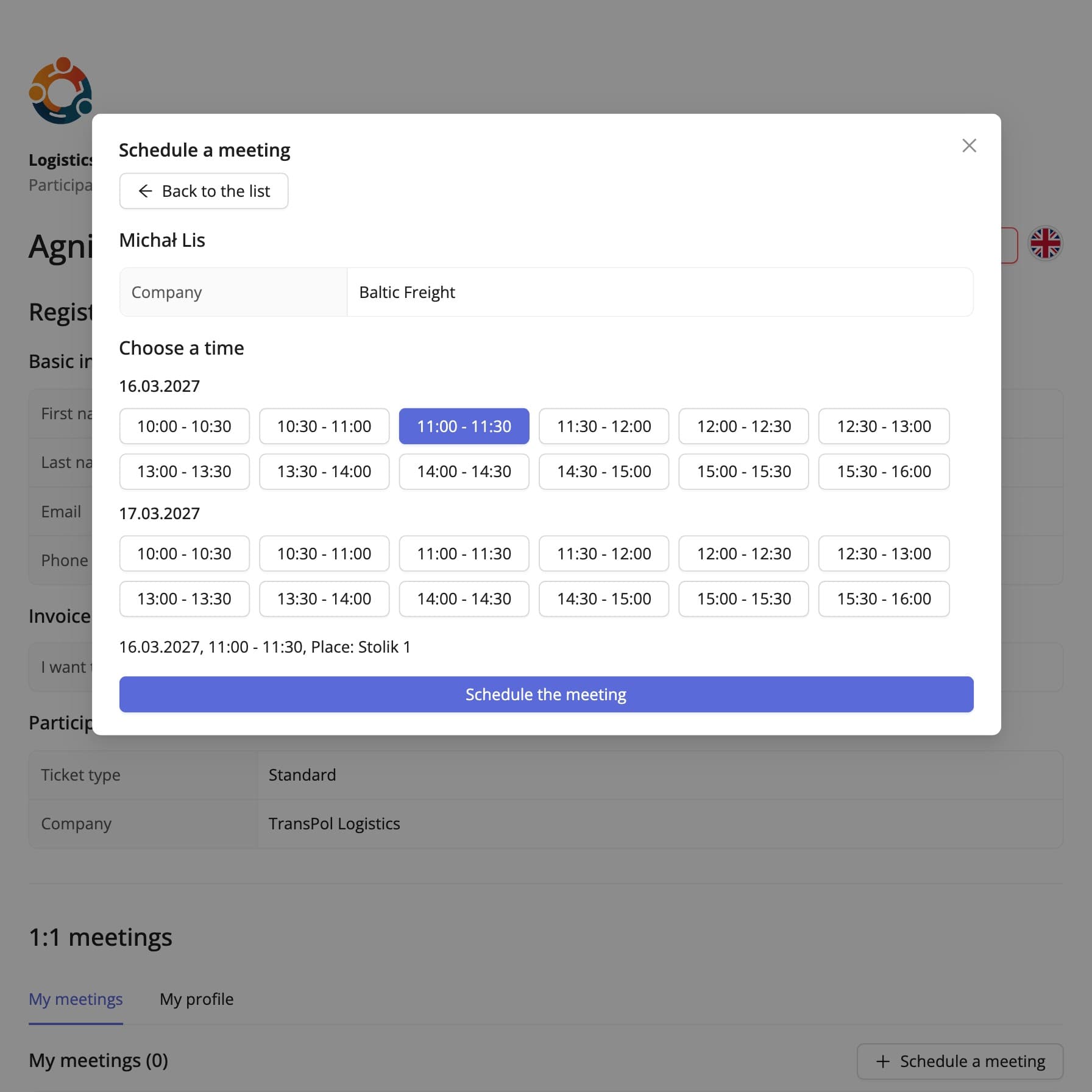
An attendee chooses a person from the list, and the system shows only the times when both sides are available and a place is free. No email back and forth and no overlapping conversations: a time taken by another meeting disappears from the list at once.
Availability calendars
You set a default calendar: the days, hours, meeting length and break between meetings. Attendees can narrow it to their own hours, and if meetings should only take place in a set block of the programme, you lock changes with one switch. You can also set a separate calendar for a single person, for example a speaker.
Acceptance and notifications
A meeting can be confirmed at once or wait for the invited person's acceptance. Both sides get emails about booking, confirmation, changes and cancellation, and a confirmed meeting comes with a calendar file that updates with every change. Someone who does not want more requests can block the person asking.
Automatic table assignment
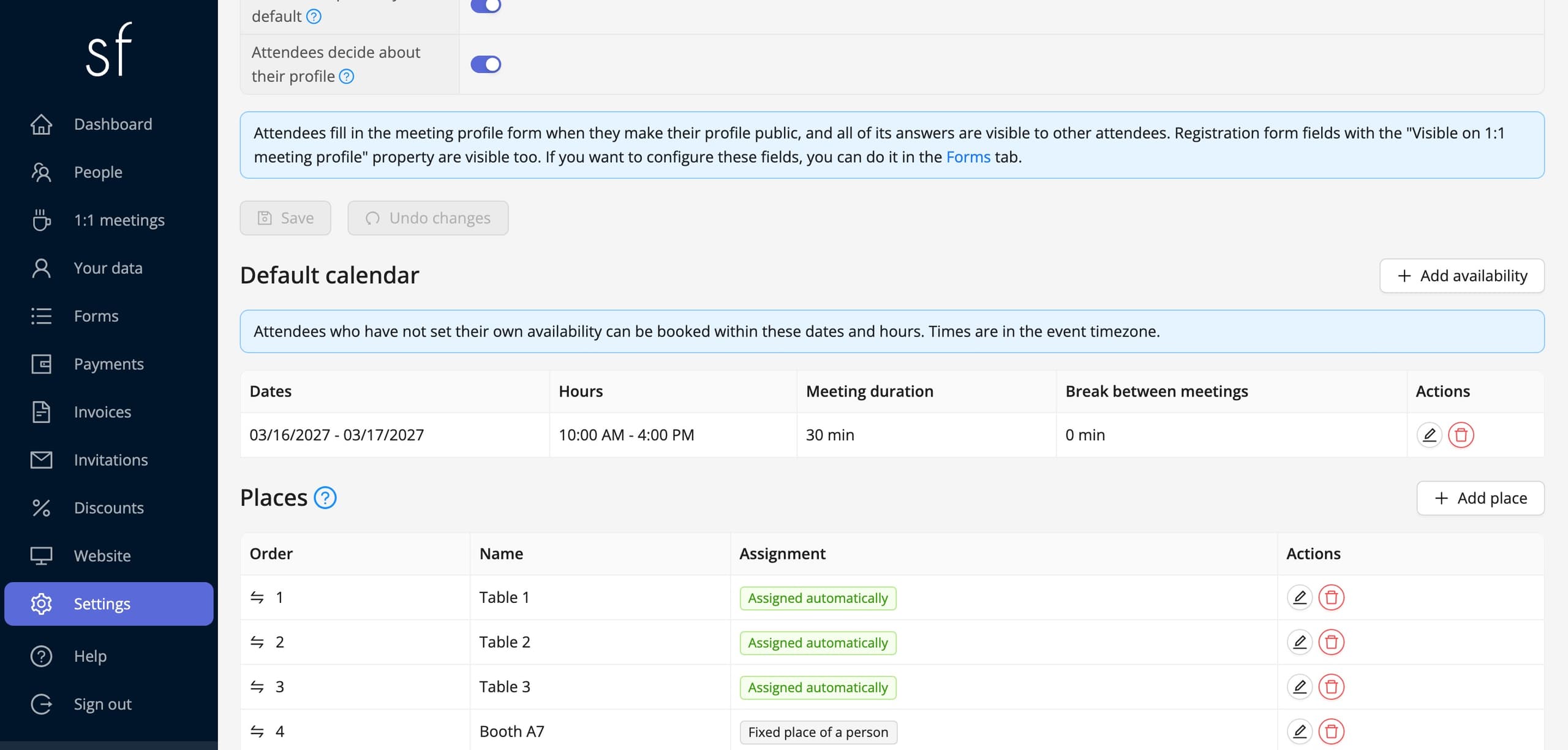
You add tables, rooms or booths, and every new meeting gets the first place that is free at its time. The number of places sets how many conversations can run at once, so the networking area is never overcrowded. An exhibitor can have a fixed place, their own booth, where all of their meetings take place.
Who can take part
Only accepted attendees can book meetings, and conditions narrow them down by their answers in the registration form. For example, you can open meetings only to exhibitors and guests with a business pass, or leave out people taking part online.
A full overview for the organizer
In the panel you see every meeting with the people, date, time, place and status. You can move a meeting to another table, cancel it or book one on behalf of an attendee, for example for a VIP guest who does not log in to the system.
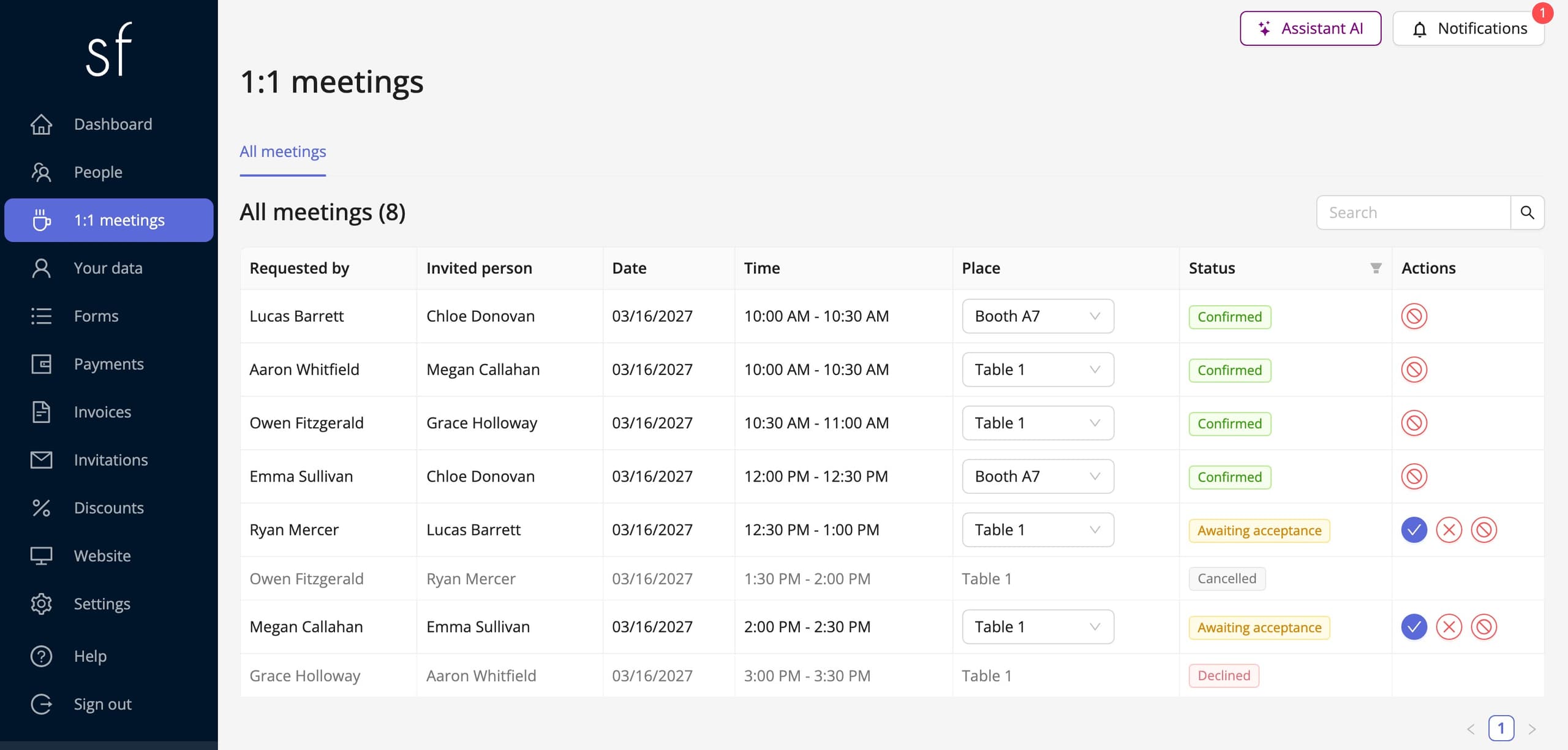
Networking without spreadsheets
1:1 meetings use the same data as the rest of the event: registrations, acceptance, payments and form fields. The 1:1 meetings guide walks through the setup step by step, and the page about industry conferences covers the whole business event.
See also
How to accept group registrations
A representative registers several attendees with one form: shared fields, one collective payment and a company invoice.
How to set up 1:1 meetings between attendees
Attendees publish profiles and book free slots, and the system assigns the tables. Set up the calendar, places and meeting acceptance.
Complete event management on a single platform. An event website, attendee registration and a full set of organizer tools.
2026 © SF-LABS sp. z o.o. All rights reserved
Entered into the register of entrepreneurs of the National Court Register kept by the District Court for Kraków-Śródmieście in Kraków, 11th Commercial Division of the National Court Register, under KRS number 0000886671. Share capital amount: PLN 5,000.